Creating skills
Skills are Markdown knowledge blocks injected into your AI — write them in the editor or upload .md files, control scope and token cost.
A Skill is reusable knowledge written in Markdown — company policies, product catalogs, tone guides, procedures — that HiveFlow injects as context into your AI elements: agents, flows, Genius and the Hive App builder. Write it once, and every AI in your workspace can know it.
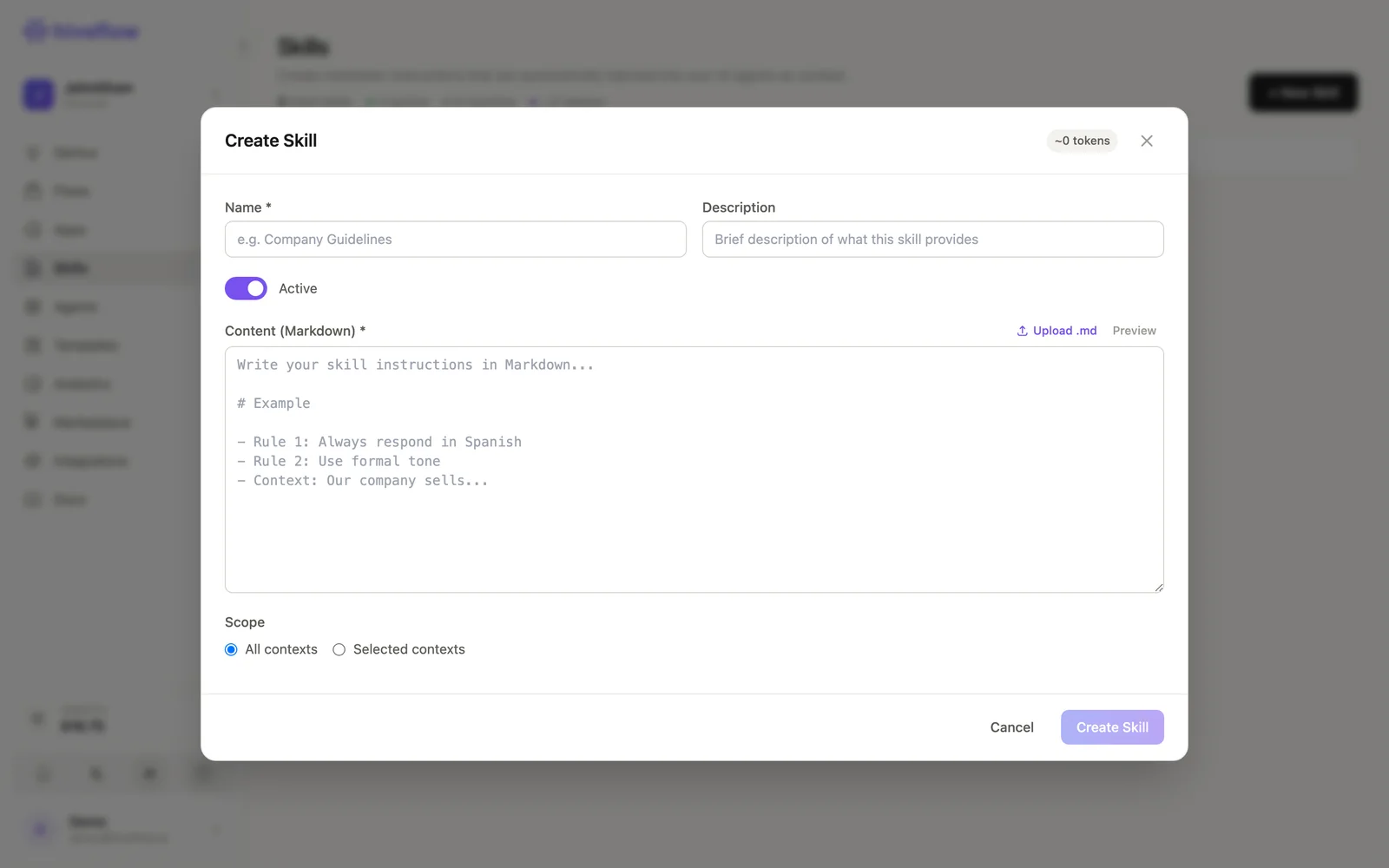
Create one
In Skills → + New Skill:
- Name and description — e.g. "Company Guidelines".
- Content (Markdown) — the knowledge itself. Write directly with live Preview, or Upload .md to import an existing file.
- Active toggle — inactive skills are kept but not injected.
- Scope — All contexts injects it everywhere; Selected contexts limits it to specific flows and surfaces (see using skills).
The editor shows a live token estimate — the context cost this skill adds to each AI call it's injected into.
Writing skills that work
- Be declarative: rules, facts and examples beat long prose. ("Rule: always respond in Spanish. Context: our company sells…")
- One topic per skill: "Pricing FAQ", "Return policy" and "Tone of voice" as three skills beat one giant document — you can scope them independently.
- Watch tokens: skills ride along on every injected call. Keep each one tight; the token badge is your budget.
- Update in place: edits apply immediately to every agent and flow that uses the skill — that's the point.
Platform skills
Organization admins may also see Platform Skills (Admin Console) — skills maintained at the platform level that shape system behaviors. Regular workspace skills are the ones you manage day to day.