Creating Hive Apps
Build full web apps by chatting with the AI builder — live preview, file editor, versions, GitHub export and one-click deploy.
A Hive App is a complete web app (landing, dashboard, portal, form, chatbot UI…) generated and edited through an AI chat. You describe; it codes; you see the live preview instantly. Flows provide the backend brains — see connecting flows.
Create an app
- Go to Apps → + New App, give it a name, description and category (dashboard, form, chatbot, landing, portal, tool).
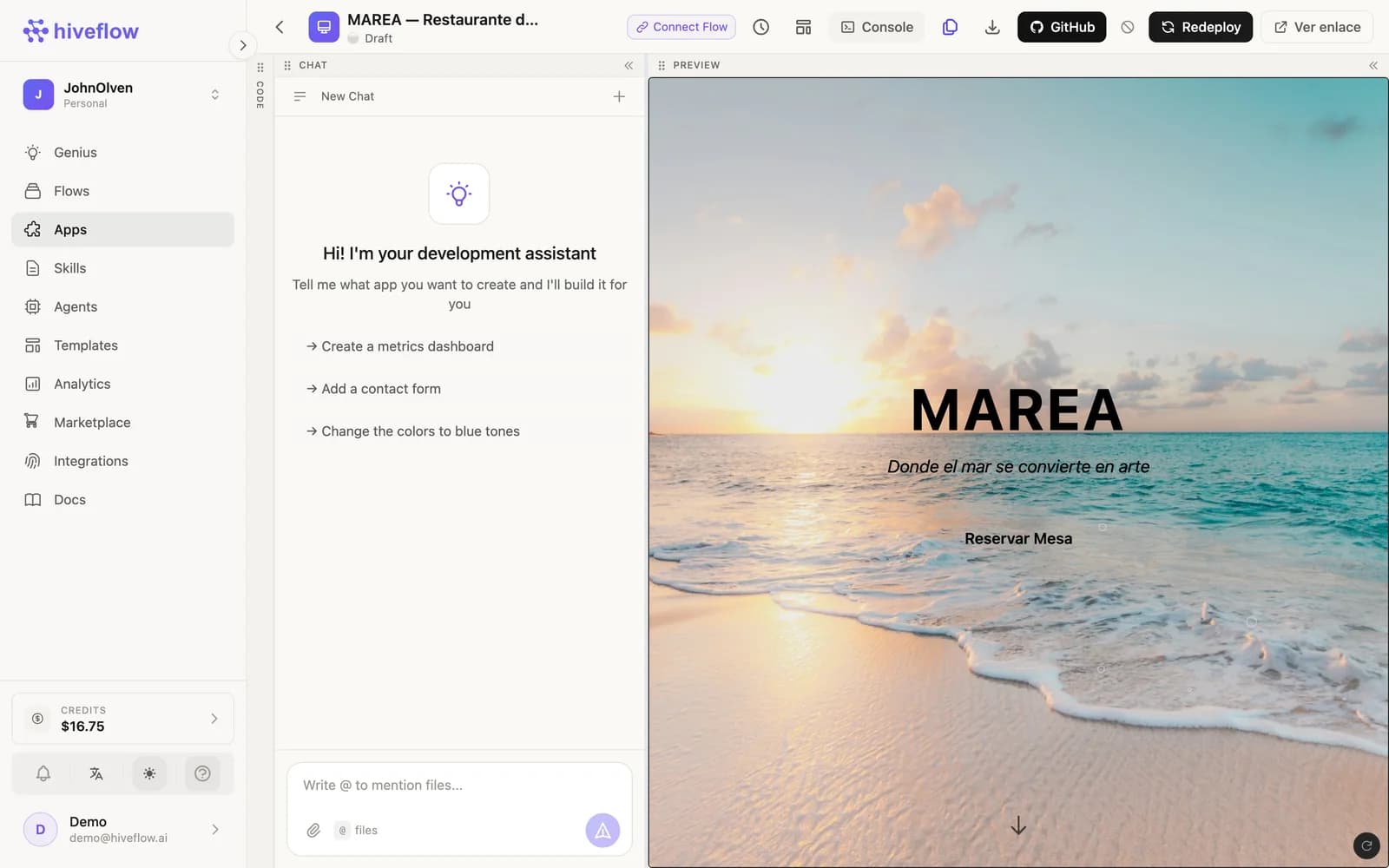
- The editor opens with the development assistant chat. Describe what to build: "a landing page for my restaurant with a reservation form".
- The AI generates the code and the Preview panel renders it live. Keep chatting to iterate: "add a contact form", "change the colors to blue tones".
- Use the Code panel to inspect or hand-edit the generated files, and
@filementions in chat to point the AI at a specific file.
Versions, GitHub and deploy
- Versions — snapshot the app and restore any previous state.
- GitHub — push the code to a repository of your own.
- Deploy — publish the app to a public URL (redeploy/undeploy anytime). Draft → Preview → Deployed states are shown on the app card.
Where Skills fit
The app builder respects your Skills scoped to Hive Apps: brand rules, preferred stack and copy tone travel into every app the AI builds.
Predefined Tools
Besides generated apps, the Tools tab holds ready-made apps (Kanban, CRM, Inventory, Analytics, Chat) that store structured data and plug into your agents — covered in Tools.