Using skills
Where skills get injected — Genius, agents, flows and the app builder — and how to scope each skill to the right contexts.
Once a skill is Active, HiveFlow injects its content as system context wherever its scope allows. You don't call skills explicitly — they're ambient knowledge.
Injection surfaces
| Surface | When the skill applies |
|---|---|
| Genius chat | Injected into your Genius conversations — teach the assistant your domain. |
| Flows / Agents | Injected into LLM nodes of the flows in scope — shapes every agent answer. |
| Flow Generator | Guides the AI that generates flows, so generated automations follow your conventions. |
| Hive Apps | Injected into the app builder chat — brand rules, UI preferences, copy tone. |
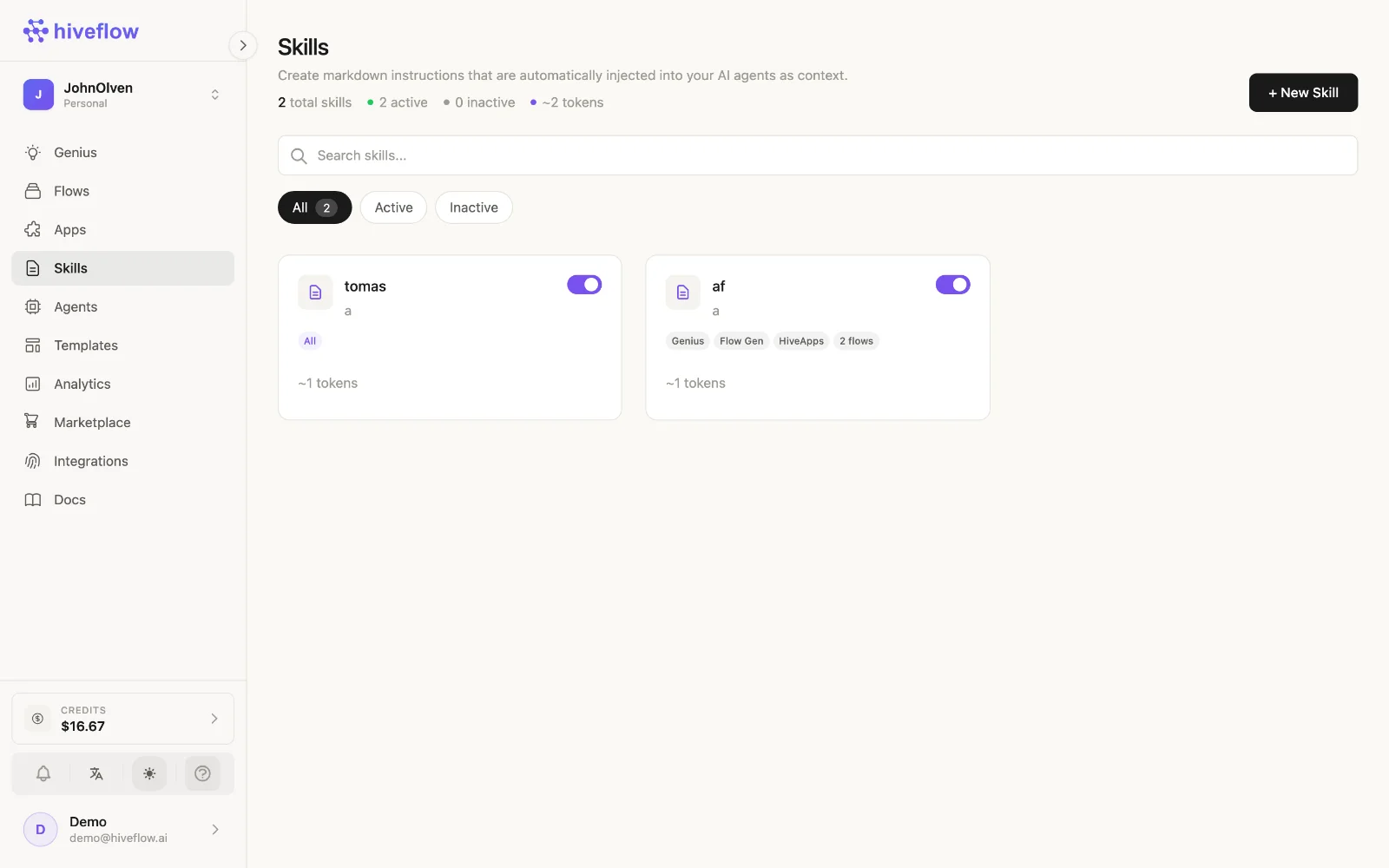
Each surface has its own toggle in the skill's scope, so one skill can apply to Genius but not to apps, or vice versa.
Scoping to specific flows
With Scope → Selected contexts, pick exactly which flows receive the skill. Two common setups:
- Global skills (All contexts): tone of voice, company facts, language rules.
- Per-project skills (Selected): a product catalog only for the sales agent; internal procedures only for the ops flow.
When creating an agent, the skills you select are automatically scoped to that agent's flow.
Verifying and budgeting
- The skill list shows scope badges and active state at a glance; Token summary totals the context cost of what's currently injected.
- To confirm a skill reached an agent, check the LLM node's Console — the system context includes injected skills.
- If an agent misbehaves, check which skills are in its scope first — a stale skill is the usual suspect.