Creating agents
Create a conversational AI agent in HiveFlow — name, objective, model and skills — and understand how agents are flows under the hood.
An Agent is a conversational AI with its own chat UI, memory and tools. Under the hood, an agent is a flow with the pattern chat_input → llm → chat_output — which means everything you know about flows (nodes, tools, consoles) applies to agents too.
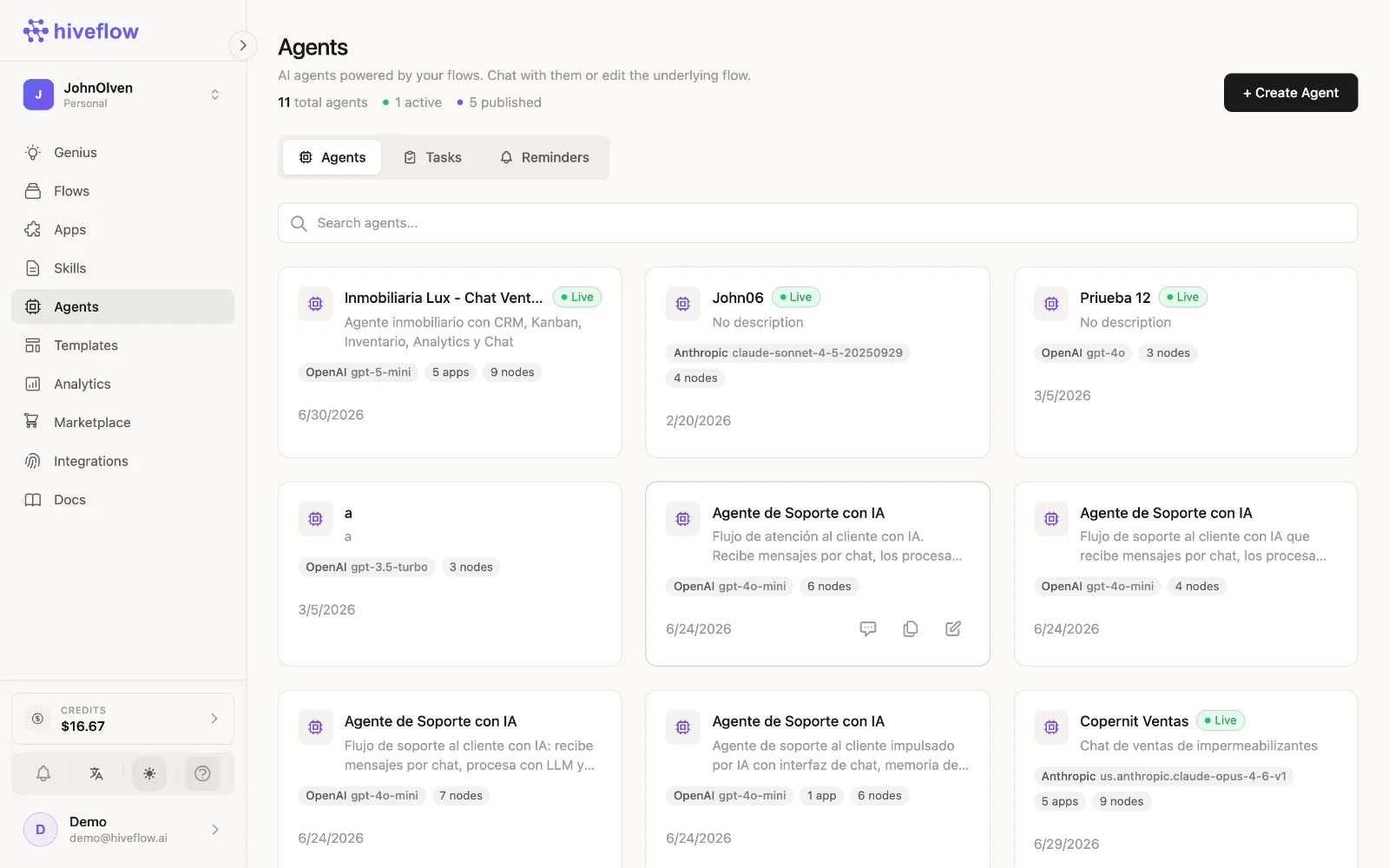
Create one
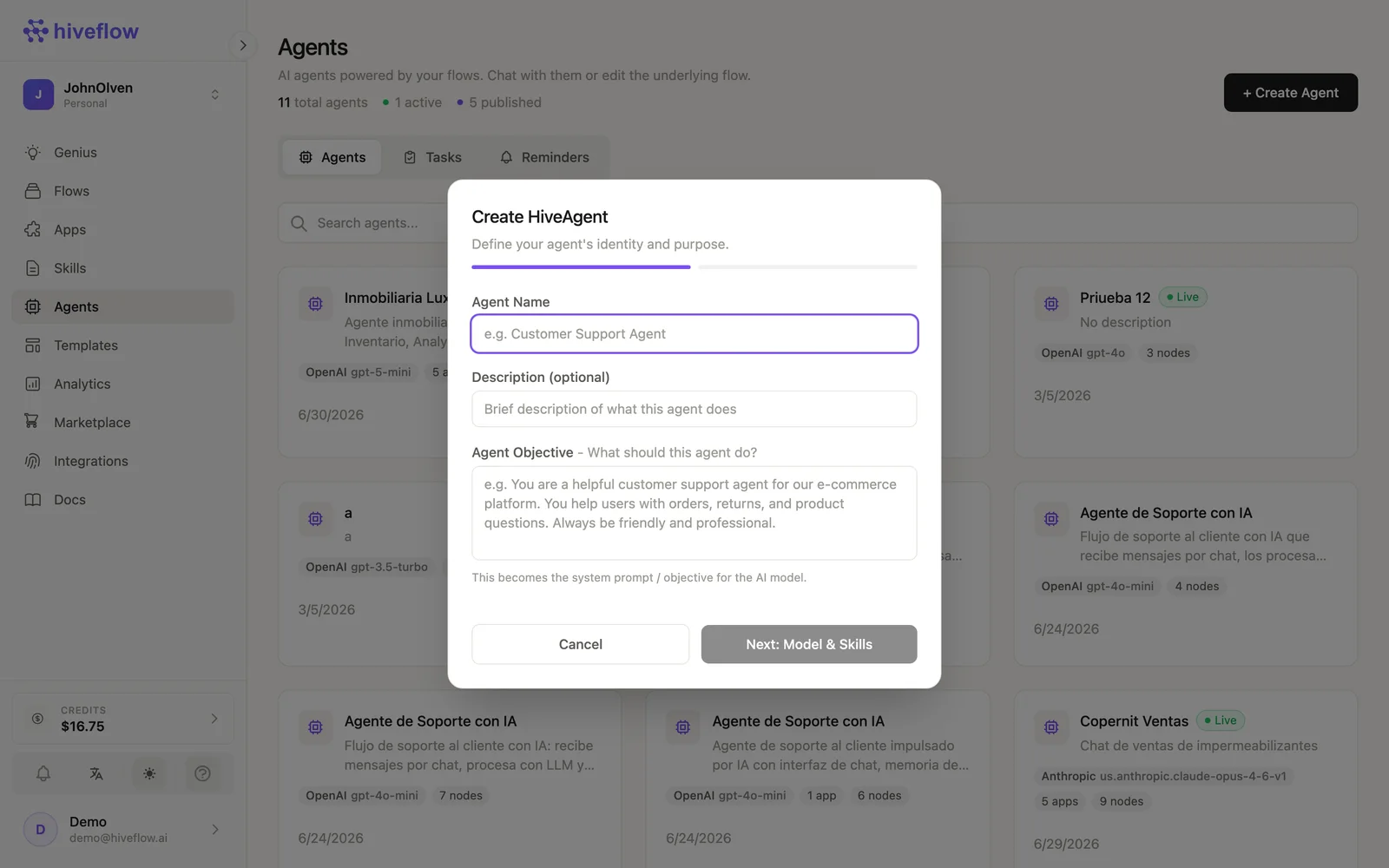
In Agents → + Create Agent:
- Name and description — how it appears in your workspace.
- Objective — who the agent is, its tone and what it must do. This becomes the LLM node's system prompt.
- Provider and model — OpenAI, Anthropic, Gemini, Vertex, Bedrock, Groq, Mistral and more.
- Skills (optional) — pick Skills to attach; their content is injected as context in every conversation.
HiveFlow generates the underlying flow with the three nodes pre-wired and opens it in your agent list. The card shows the model, connected apps and node count.
Power it up in the canvas
Click Edit Flow on the agent to open its canvas. From there you can:
- Wire tools into the LLM node — integrations (MCP) or Hive App tools like a CRM or Kanban.
- Add more steps: save every conversation to a Database, notify by Email, escalate with Human in the Loop.
- Adjust the LLM configuration (temperature, context window, prompt).
The agent's chat quality is just the flow's quality — iterate there.
Agents vs plain chat flows
There's no technical difference — Agents is a view over flows that match the conversational pattern, adding a chat-first UI, session management, Tasks and Reminders. Build whichever way you prefer and switch views at will.
Next: chatting with agents.