The LLM Agent node
Configure the AI brain of your flows — providers and models, objective and prompt, function calling with tools, and the execution console.
The LLM Agent node (llm) is where intelligence happens: it receives input from upstream nodes, reasons with a language model, optionally calls tools, and outputs its answer downstream. One node type — every AI use case.
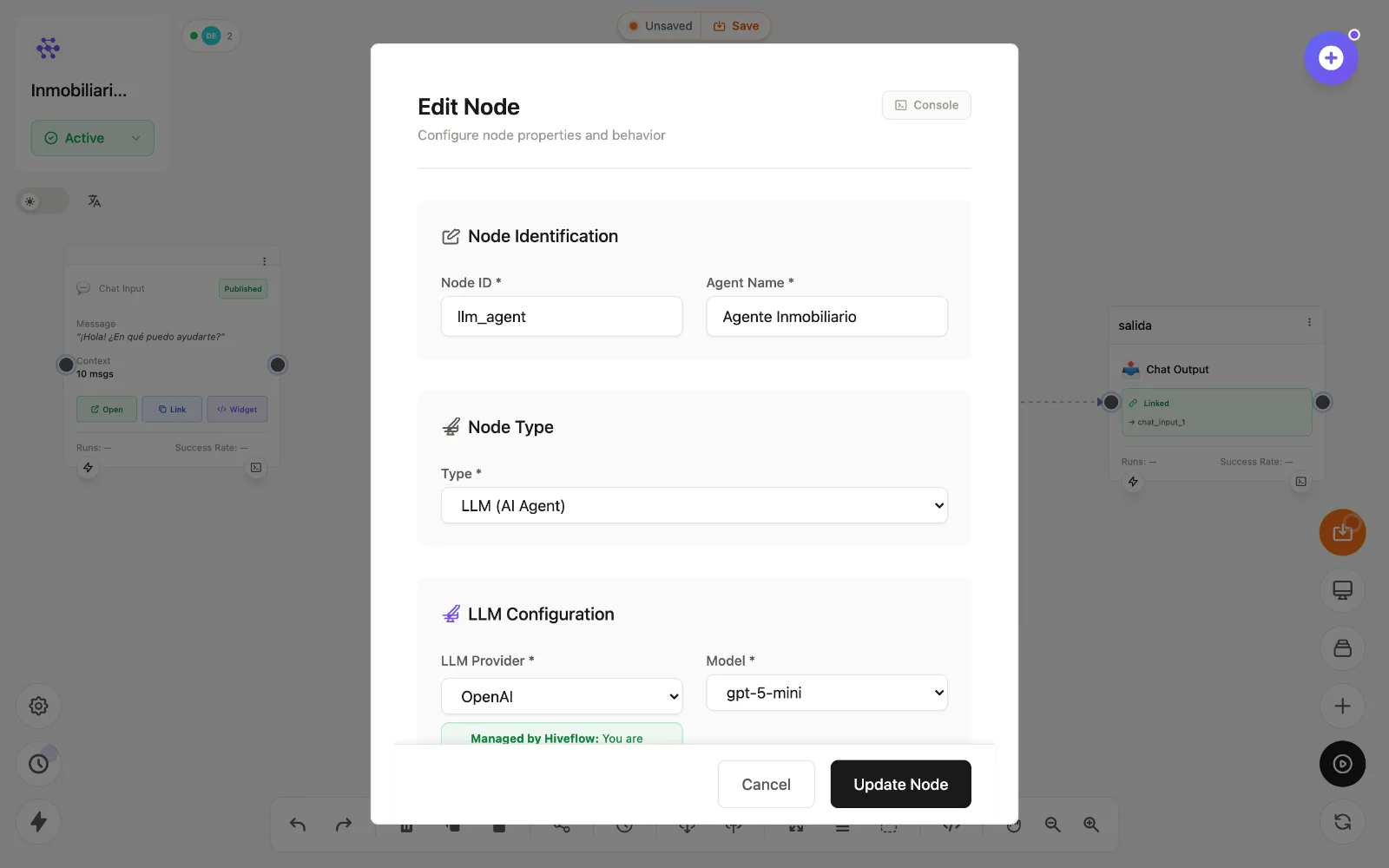
Configuration
Double-click the node to open Edit Node:
- Node ID / Agent Name — identifier used in variables, and the display name.
- LLM Provider & Model — OpenAI, Anthropic, Gemini, Vertex, Azure, Bedrock, Groq, Mistral, HuggingFace, Friendli, Perplexity and more. With Managed by HiveFlow providers you use the platform's keys and pay in credits; you can also bring your own credentials in your profile.
- Objective — who the agent is and what it must accomplish. This is the system prompt.
- Prompt — the per-execution input, usually a variable like
{{message}}from a chat input. - Temperature / max tokens — creativity and length controls.
Tools (function calling)
Connect other nodes into the LLM node to hand them over as callable tools: MCP tools (any connected integration) and Hive App tools (CRM, Kanban, Inventory, Analytics, Chat boards). Enable Function Calling in the node and the model will decide when to call each tool, in multiple rounds if needed.
Not every provider/model supports function calling — the form shows the Built-in Tools section only when the selected pair does, and warns when it doesn't. Details in adding tools.
Memory and context
When fed by a Chat Input, the LLM node receives the conversation's recent context automatically (configurable message window). Skills scoped to the flow are injected as extra system context.
Debugging
The node's Console shows each execution; with tools enabled, the Function Calling Process tab breaks down every round — model decision, tools executed (with ✓/✗ and timing) and final answer.