Node Catalog overview
The 44 node types of HiveFlow, organized in 8 categories — what each category is for and how to add nodes to a flow.
Nodes are the steps of a flow. Click Add Node (✚) in the flow editor to open the catalog: browse by category or search by name, then click a node to drop it on the canvas. Double-click any placed node to configure it.
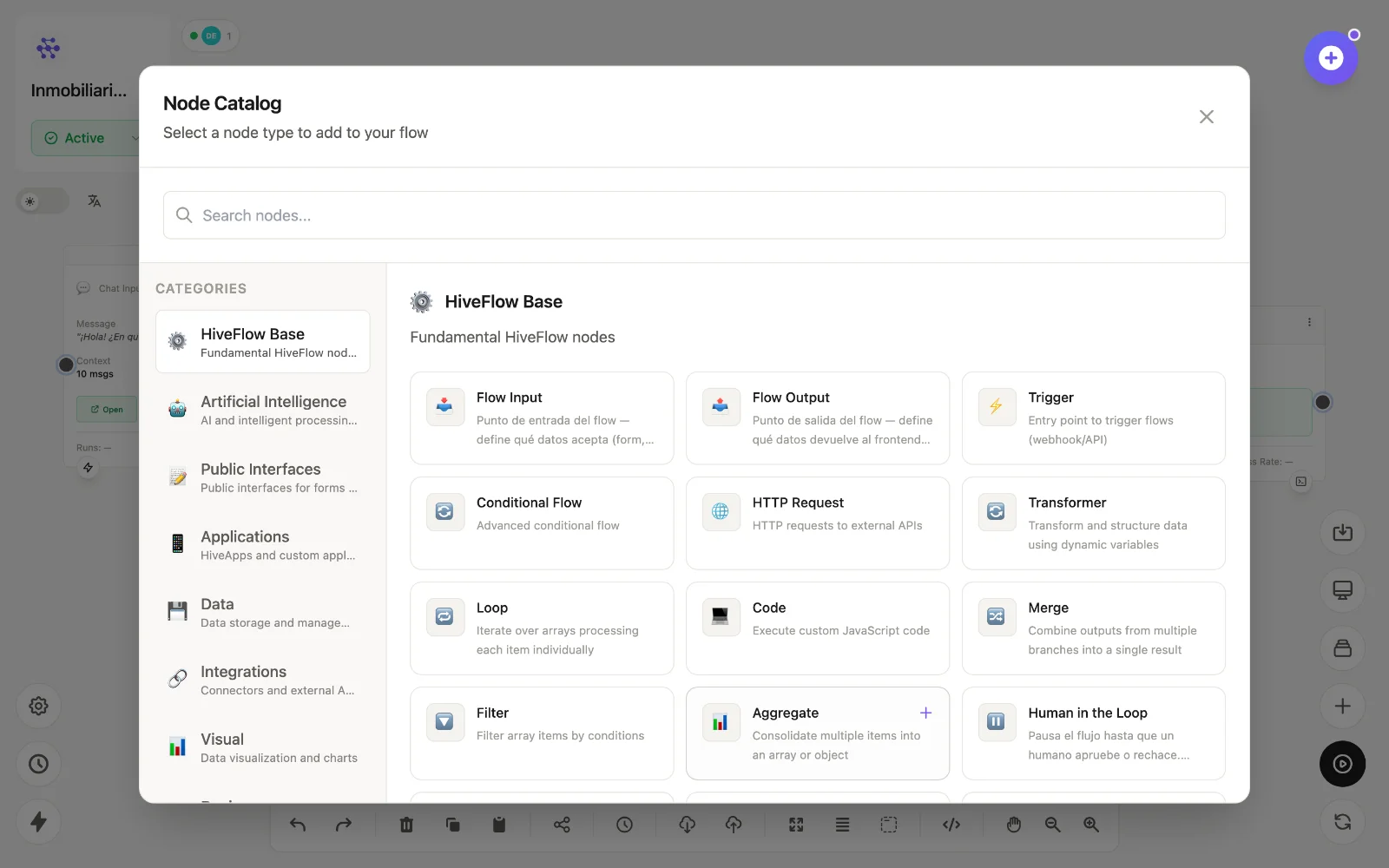
Categories
| Category | Nodes | What it covers |
|---|---|---|
| HiveFlow Base | 18 | Inputs/outputs, triggers, logic, control flow, code and error handling. |
| Artificial Intelligence | 1 | The LLM Agent node — the AI brain of your flows. |
| Public Interfaces | 3 | Public forms and chat widgets your users interact with. |
| Applications | 5 | Hive App tools, WhatsApp in/out, email and delivery tiers. |
| Data | 7 | Databases, memory, S3 files, PDFs and pandas transforms. |
| Integrations (MCP) | 4 | Model Context Protocol clients, tools, resources and servers. |
| Visual | 3 | Charts, data tables and custom HTML views. |
| Devices | 3 | Remote control of Mac, Windows and Linux machines. |
Conventions used in this reference
- The
idshown for each node is its internal type (useful with the API and when talking to Genius). - Nodes pass data forward through their connections; reference upstream values inside configs with variables like
{{message}}or{{node_id.field}}. - Nodes connected into an LLM Agent act as its function-calling tools — see adding tools.