HiveFlow Base nodes
The 18 fundamental nodes — flow inputs and outputs, triggers, conditionals, loops, code, merging, error handling and more.
The HiveFlow Base category holds the structural nodes every flow is built from: how data enters, how it branches and repeats, and how the flow ends.
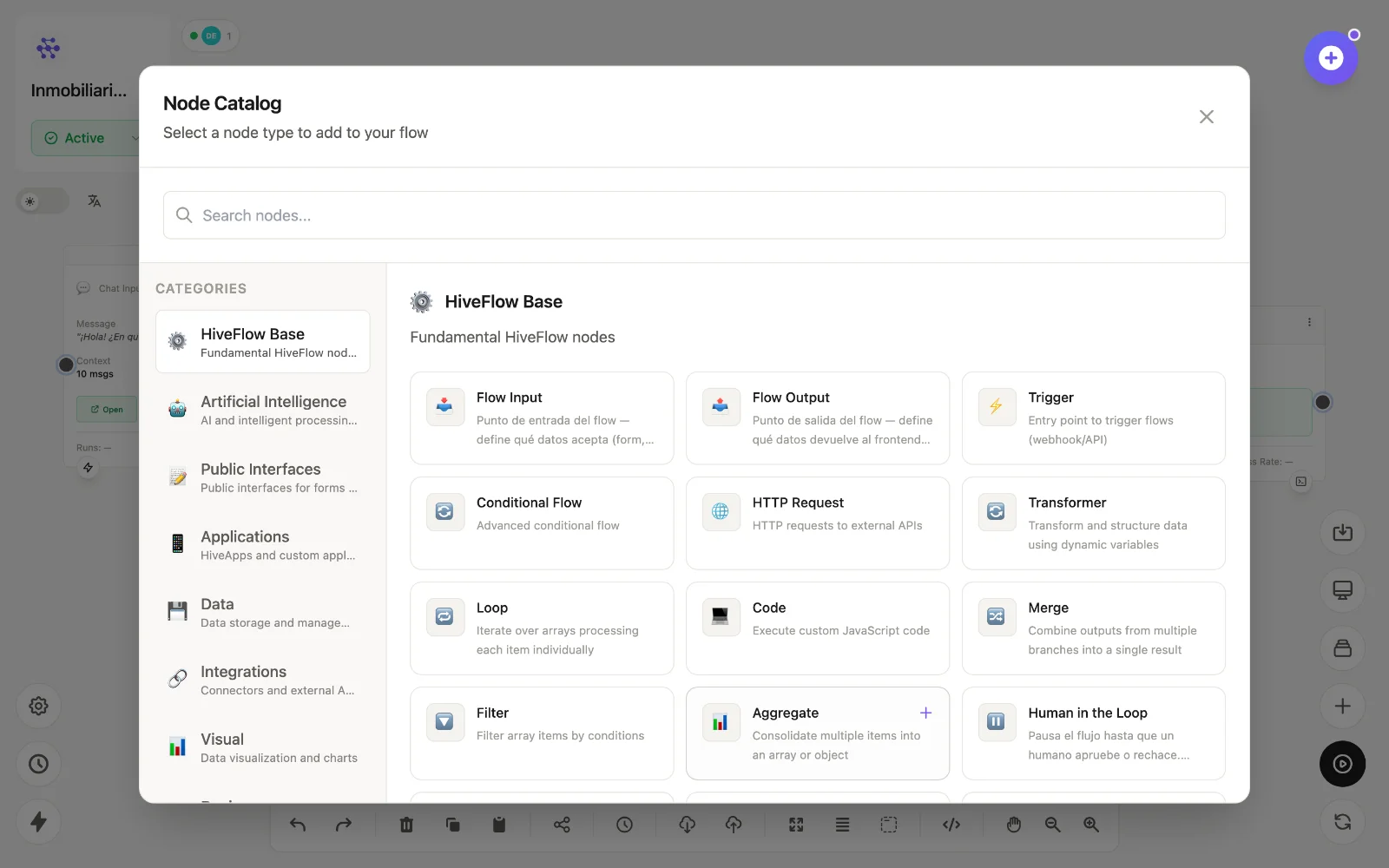
Inputs and outputs
| Node | id | What it does |
|---|---|---|
| Flow Input | flow_input | Entry point of the flow — defines what data it accepts (form, chat, media or API payload). The modern replacement for Trigger. |
| Flow Output | flow_output | Exit point — defines what the flow returns to the caller (responses, data, files). |
| Trigger | trigger | HTTP entry point: exposes a webhook URL + API key so external systems can execute the flow. |
| Extension Input | extension_input | Receives data from the HiveFlow browser extension: selected text, current URL, screenshots. |
Logic and control flow
| Node | id | What it does |
|---|---|---|
| Conditional Flow | conditional_flow | Routes execution into branches based on conditions. |
| Loop | loop | Iterates over an array, processing each item individually. |
| Filter | filter | Keeps only the array items that match your conditions. |
| Merge | merge | Combines the outputs of multiple branches into a single result. |
| Aggregate | aggregate | Consolidates multiple items into one array or object. |
| Wait | wait | Pauses execution for a set amount of time. |
| Sub-flow | sub_flow | Runs another flow as a reusable component. |
| Error Handler | error_handler | Catches errors from connected nodes so the flow keeps running. |
| Human in the Loop | human_in_the_loop | Pauses the flow until a human approves or rejects, with assignees, timeout and context. |
Data shaping and code
| Node | id | What it does |
|---|---|---|
| HTTP Request | http_request | Calls external APIs (method, headers, body with variables). |
| Transformer | json_builder | Builds/reshapes structured data using dynamic variables — the glue between differently-shaped nodes. |
| Code | code | Runs custom JavaScript when no built-in node fits. |
Canvas organization
| Node | id | What it does |
|---|---|---|
| Note | note | Visual sticky note (color, size) — not executed. |
| Section | section | Groups nodes visually; moving the section moves its contents. |
Tip: start flows with flow_input/chat_input rather than trigger unless you specifically need a raw webhook — inputs give you typed fields and public interfaces for free.